
Composer and agent
The docked input bar - attachments, snippets, slash commands, voice, and live context.
The composer is the input surface for the main AI agent. It is mounted unconditionally at the app root and shares state between the docked AiInputBar and any other surface (selection actions, attach-from-explorer, etc.).
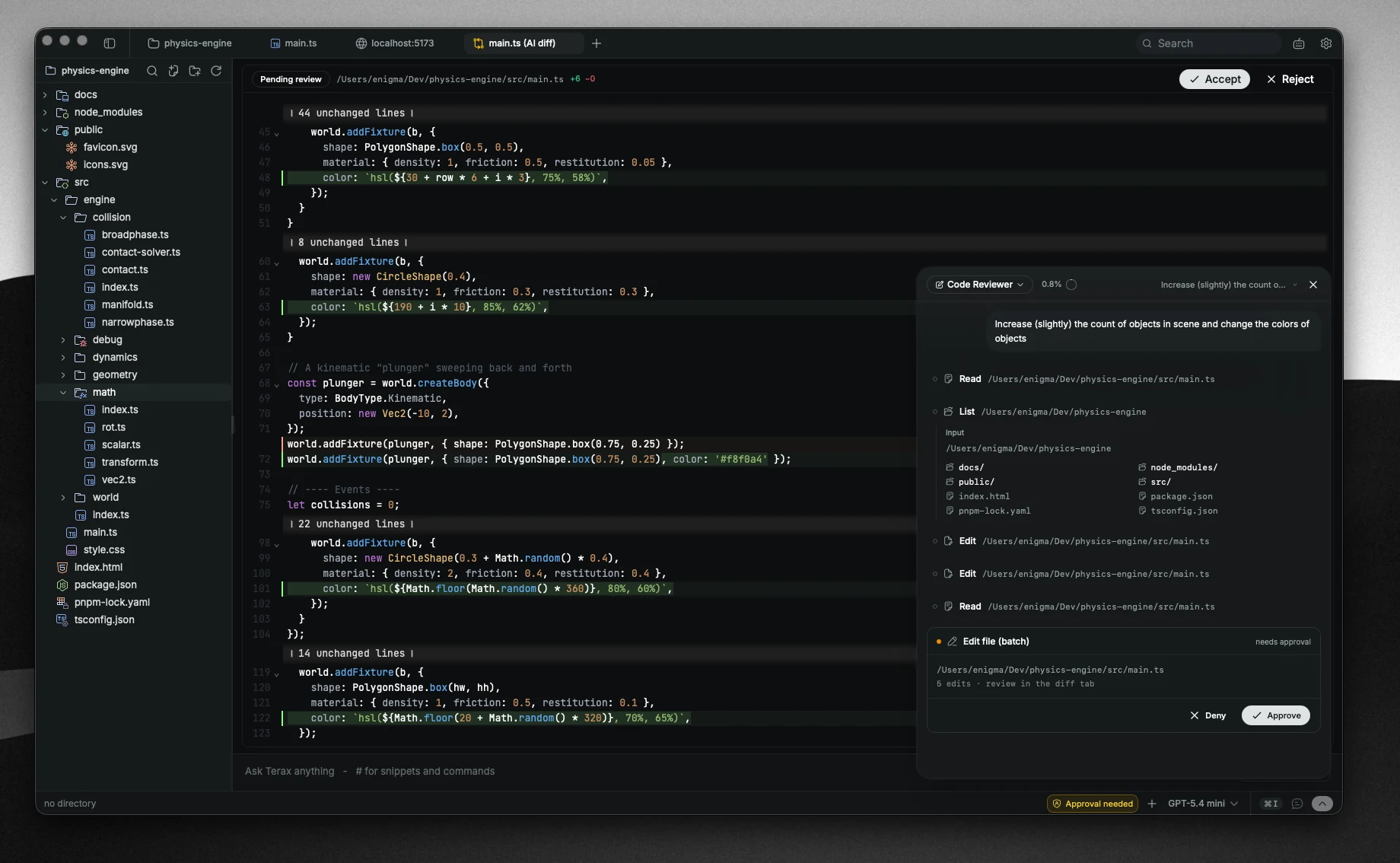
Toggle with Cmd+I.
Attachments
The composer accepts three attachment kinds:
- Images - paste, drag, or attach files
- Text files - attached as
<file path="...">blocks at submit - Selections - text grabbed from a terminal or editor, wrapped as
<selection source="terminal | editor">...</selection>
Selections drain into chips rather than being pasted into the textarea, so the input stays readable.
Use Cmd+L while you have text selected to attach it as a selection chip. From the explorer, right-click a file -> Attach to AI.
@path file references
Type @ and start the path. Terax fuzzy-matches against the workspace and inserts a chip pointing at the file. The file content is sent at submit, gated by the secret deny-list.
#handle snippets
Type # to pick a saved snippet. Snippets are reusable prompt fragments stored in terax-ai-snippets.json. Useful for repeated context: "the schema for our auth flow", "the conventions for this repo", etc.
Slash commands
Type / for the slash-command palette. Run in-app actions without leaving the composer.
Voice input
Click the mic icon (or use the configured shortcut). Audio streams to a transcription pipeline and lands in the textarea as text. Toggle off by clicking again.
Live context bridge
App.tsx exposes a setLive bridge that any AI tool can call to read right now state of the active terminal:
- The current cwd (from OSC 7)
- The last ~300 lines of the active PTY buffer
This is lazy by design - the snapshot is taken on tool execution, not pre-cached. Pull get_terminal_context and the agent sees the latest screen content the moment it asks.
The agent
Under the hood the chat runs on Vercel AI SDK v6's Experimental_Agent with stopWhen: stepCountIs(MAX_AGENT_STEPS) and a system prompt sourced from config.ts. The agent has access to the tools below and can spawn sub-agents (see Plan mode and sub-agents).
Tools
Auto-execute (no approval prompt):
read_filelist_directoryfs_search(fuzzy file finder)fs_grep(content search)
Approval-gated (needsApproval: true):
write_filecreate_directoryrenamedeleterun_command(one-shot subshell)shell_session_run(persistent agent shell)shell_bg_spawn(long-running background process, e.g. a dev server)
Approval cards render in the composer as you submit. The AI SDK pauses the step until you accept or reject. Auto-resume after approval is handled by lastAssistantMessageIsCompleteWithApprovalResponses.
See Security and approvals for the deny-list and the approval flow.