
Source control
Hunk-level staging, one-shortcut commits, push with upstream awareness, and a real commit graph.
Terax has full git integration backed by a dedicated Rust module. All git operations go through the workspace authorization registry, the same gate as PTY spawn and AI tool calls.
Open the source control panel with Cmd+G, or click the icon in the sidebar.
Status and staging
Files are grouped by state: Unstaged, Staged, Untracked. Hover any file or hunk for actions:
- Stage / unstage by file or by individual hunk
- Discard changes (with confirmation)
- Open as inline diff in a
git-difftab
Diff colors come from your active theme.
Commit
Type a message in the commit input. Cmd+Enter commits the staged set. The branch indicator next to the input shows the current branch, including detached HEAD state when you are on a raw commit.
Push, pull, fetch
git_push runs with upstream awareness - it will create the upstream ref on first push and report ahead / behind counts otherwise. git_pull_ff_only is fast-forward only by default. git_fetch refreshes the remote view.
Commit history
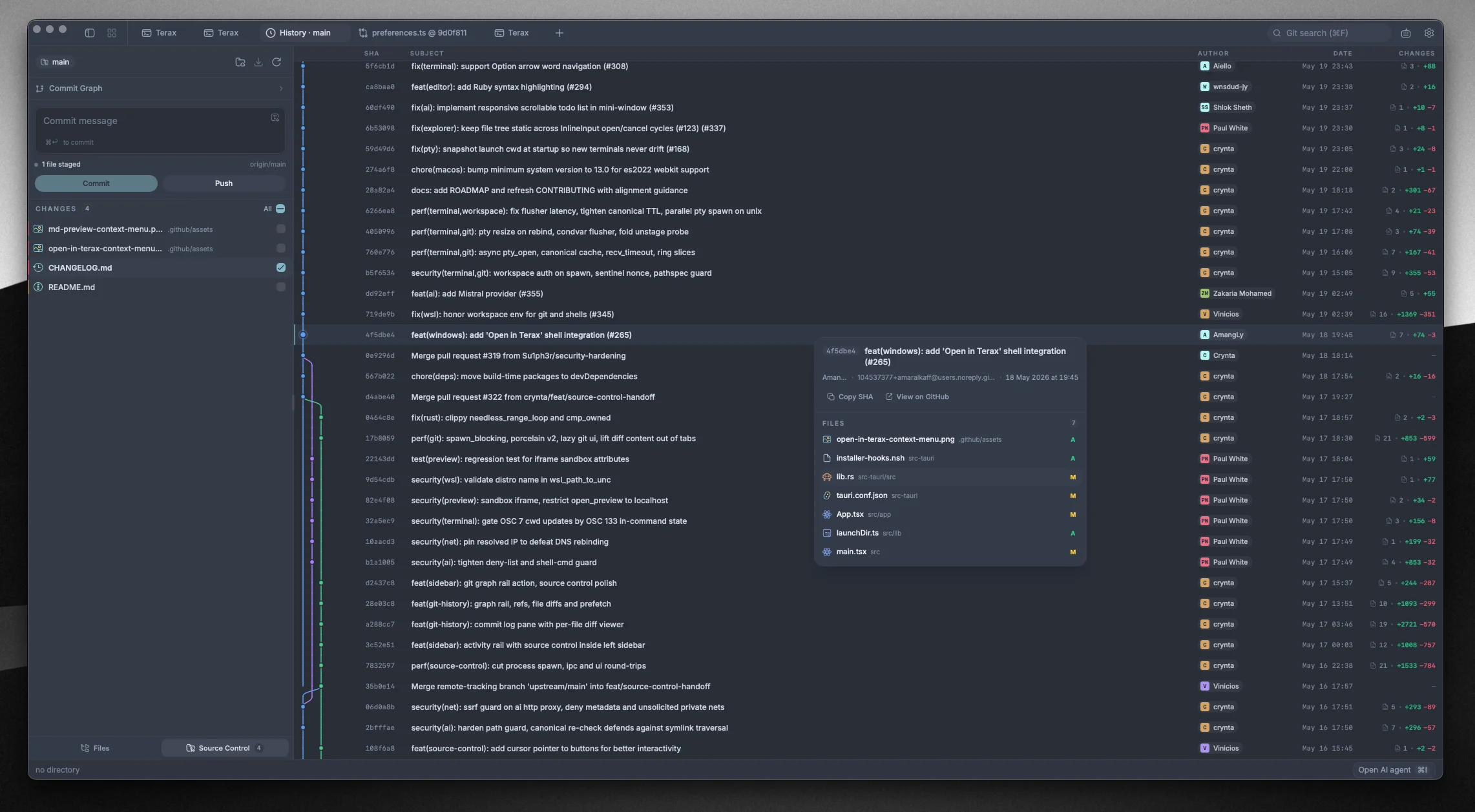
The Git History panel renders a real commit graph - lane allocation for merges and branches, ref labels for local and remote branches plus tags. Click any commit for:
- The full diff list of files
- Per-file diff in a
git-commit-filetab - A direct link to the commit page on the remote (GitHub, GitLab, etc.)
Commit search and filter sit at the top of the panel.
Authorization
Every git command is gated on workspace_authorize, the same registry that grants AI tools access to a cwd. New workspaces prompt once. This keeps an embedded agent from reaching into a sibling repo that you have not opened.