Keyboard shortcuts
The default key map. Every binding here is remappable in Settings - Shortcuts.
Every default binding below is registered in src/modules/shortcuts/shortcuts.ts and remappable from Settings -> Shortcuts.
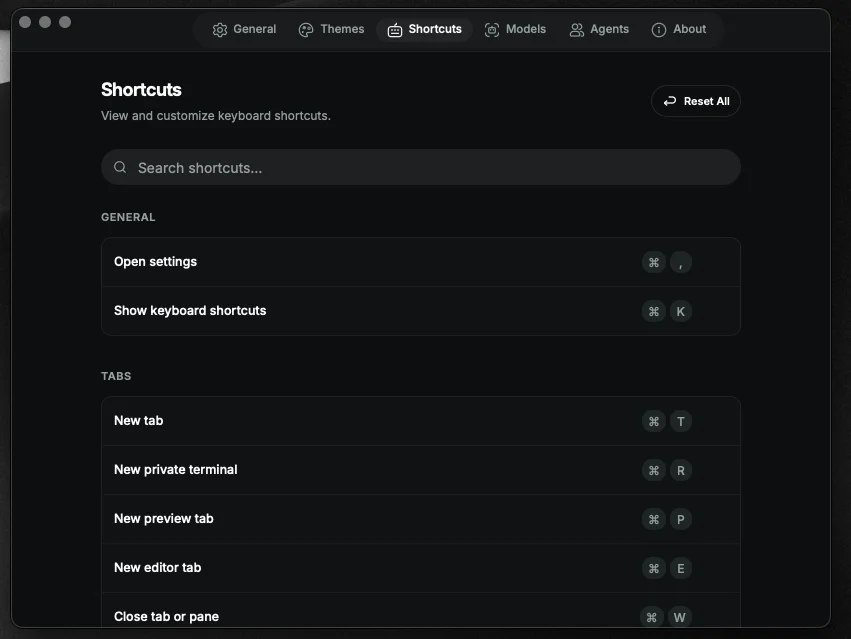
Mod is Cmd on macOS, Ctrl on Linux and Windows. Ctrl+Tab and Ctrl+Shift+Tab use Ctrl on every platform.
| Action | Default |
|---|
| Open settings | Mod+, |
| Show keyboard shortcuts | Mod+K |
| Action | Default |
|---|
| New terminal tab | Mod+T |
| New private terminal | Mod+R |
| New preview tab | Mod+P |
| New editor tab | Mod+E |
| Close tab or pane | Mod+W |
| Next tab | Ctrl+Tab |
| Previous tab | Ctrl+Shift+Tab |
| Jump to tab 1 - 9 | Mod+1 ... Mod+9 |
| Action | Default |
|---|
| Split pane right | Mod+D |
| Split pane down | Mod+Shift+D |
| Focus next pane | Mod+] |
| Focus previous pane | Mod+[ |
| Toggle source panel | Mod+G |
| Action | Default |
|---|
| Toggle file explorer | Mod+B |
| Toggle file explorer focus | Mod+Shift+E |
| Zoom in | Mod+= / Mod+Shift++ |
| Zoom out | Mod+- / Mod+Shift+_ |
| Reset zoom | Mod+0 |
| Action | Default |
|---|
| Find in terminal | Mod+F |
| Search files | Mod+Shift+F |
| Action | Default |
|---|
| Toggle AI agent | Mod+I |
| Ask AI about selection | Mod+L |
These are display-only entries. CodeMirror's historyKeymap owns them natively - Terax registers them in the shortcuts dialog for discoverability but does not intercept at the app level.
| Action | Default |
|---|
| Undo | Mod+Z |
| Redo | Mod+Y |
